Docker and Kubernetes: When to Use What?
Docker Compose is often sufficient longer than expected. When Kubernetes truly becomes necessary and what alternatives exist in between — a pragmatic guide.
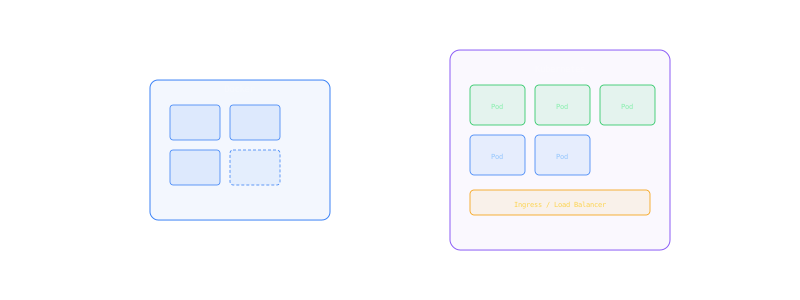
The Kubernetes trap
There is a common mistake in the DACH startup scene: teams migrate to Kubernetes before they need it. A three-person team running their NestJS API and PostgreSQL database on a single server does not need a Kubernetes cluster. What it needs is Docker Compose and a solid deployment script.
Kubernetes solves real problems — but only above a certain scale. Before that, it creates more complexity than it eliminates.
72%
Of startups
Could get by with Docker Compose
€800+
Min. K8s cost
Managed cluster + nodes per month
6 months
Learning curve
Until a team uses K8s productively
Docker Compose: The underestimated solution
Docker Compose orchestrates containers on a single host. That sounds limited, but it is sufficient for a surprising number of applications.
What Docker Compose can do:
- Define multiple services (API, database, Redis, worker)
- Network isolation between services
- Volume management for persistent data
- Health checks and restart policies
- Environment variables and secrets
What Docker Compose cannot do:
- Automatic failover to other hosts
- Horizontal scaling across multiple servers
- Rolling deployments without downtime (only with workarounds)
- Service discovery across cluster boundaries
When Docker Compose is enough
- Team < 10 developers
- Fewer than 50,000 active users
- One to three backend services
- Traffic spikes are predictable
- 30 seconds of downtime during deployment is acceptable
The middle ground: Coolify and Dokku
Between Docker Compose and Kubernetes, there is a category that is often overlooked: self-hosted PaaS.
Coolify
Open-source alternative to Vercel/Netlify/Heroku. Installed on your own server.
Features:
- Git-push deployments (like Heroku)
- Automatic SSL certificates
- Database provisioning (PostgreSQL, MySQL, Redis)
- Docker Compose support
- Multi-server management
- Monitoring and log viewing
Ideal for: Teams that want Heroku convenience but want to stay on their own server (Hetzner). GDPR-compliant since everything is self-hosted.
Dokku
Minimal PaaS, inspired by Heroku. Runs on a single server.
Features:
- Git-push deployments (buildpacks or Dockerfile)
- Plugin system (PostgreSQL, Redis, Let's Encrypt)
- Zero-downtime deployments
- Simple scaling (processes per dyno type)
Ideal for: Developers who know Heroku and want a lean alternative.
Docker Compose (direct)
Advantages
- Maximum control, no abstraction layer in between
- No additional tool to learn
- Works anywhere Docker runs
- Cost: just the server (~€20-€50/mo on Hetzner)
Disadvantages
- No automatic zero-downtime deployment
- No multi-server support
- Deployment scripts maintained manually
- No built-in monitoring or log aggregation
Kubernetes (Managed: EKS, GKE, K3s)
Advantages
- Automatic failover and self-healing
- Horizontal scaling across multiple nodes
- Rolling deployments, blue-green, canary
- Industry standard for container orchestration
Disadvantages
- High complexity — YAML manifests, Helm charts, operators
- Minimum cost €800+/mo for managed clusters
- Requires dedicated DevOps knowledge in the team
- Over-engineering for most startups
When does Kubernetes become necessary?
Kubernetes becomes relevant when Docker Compose reaches its limits:
- More than one server needed — Traffic or compute exceeds a single host
- Zero-downtime deployments are business-critical — e.g., fintech or healthcare SaaS
- Microservices architecture — more than 5-8 independent services
- Auto-scaling for unpredictable load spikes — e.g., event-driven platforms
- Enterprise customers demand it — compliance requirements, SLAs > 99.99%
Managed Kubernetes compared
| Provider | Min. Cost/Mo | Region | Notes |
|---|---|---|---|
| Hetzner K3s | ~€30 (3 Nodes) | DE | Cheapest option, K3s instead of K8s |
| DigitalOcean DOKS | ~€36 (3 Nodes) | Frankfurt | Simplest setup, free control plane |
| AWS EKS | ~€150+ | Frankfurt | Enterprise-grade, more expensive |
| GKE (Google) | ~€100+ | EU | Best K8s experience, Autopilot mode |
| Azure AKS | ~€100+ | West Europe | Good for Microsoft ecosystem |
Minimum monthly costs (3 nodes, minimal configuration)
Deployment strategies
Rolling Deployment
Old pods are gradually replaced by new ones. Default in Kubernetes. Pro: Simple, no additional resource requirements. Con: Brief phase with two versions simultaneously.
Blue-Green Deployment
Two identical environments. Traffic is switched from blue (old) to green (new). Pro: Instant rollback possible. Con: Double infrastructure costs during deployment.
Canary Deployment
New version initially receives only a small percentage of traffic (e.g., 5%). Pro: Risk minimized, problems detected early. Con: More complex setup, requires traffic splitting.
Recommendation: Rolling deployment for most teams. Canary only if you have > 100,000 active users and a release truly cannot go wrong.
The growth path
Most DACH SaaS companies go through these phases:
Typical infrastructure growth path
Phase 1: MVP
Docker Compose on a Hetzner server
1-3 services, one server, manual deployment. Cost: €20-€50/mo
Phase 2: Growth
Coolify or Dokku for automated deployments
Git-push deployments, SSL, monitoring. Cost: €50-€100/mo
Phase 3: Scaling
K3s on Hetzner (3-5 nodes)
Multi-node, rolling deployments, auto-healing. Cost: €100-€300/mo
Phase 4: Enterprise
Managed K8s (EKS/GKE) with Helm + GitOps
Multi-cluster, canary deployments, 99.99% SLA. Cost: €500+/mo
Team size and infrastructure
Infrastructure complexity should match team size:
- 1-3 developers: Docker Compose, Coolify at most. No K8s.
- 4-8 developers: Coolify/Dokku or K3s if multi-server is needed.
- 8-15 developers: Managed K8s makes sense, dedicated DevOps engineer.
- 15+ developers: Full K8s with GitOps (ArgoCD/Flux), platform team.
If you do not want to build DevOps capacity internally, this can be solved as part of a subscription development model: an external team that co-develops the infrastructure from Docker Compose to Kubernetes and scales it as needed.
Common mistakes
- Introducing K8s too early — The most common mistake. Burns 3-6 months of development time.
- No health checks — Without health checks, Docker/K8s cannot restart containers.
- Stateful workloads in K8s — Databases belong on managed services or dedicated servers, not in pods.
- No resource limits — A container without a memory limit can crash the entire node.
- Secrets in Docker images — Secrets belong in environment variables or secret managers, never in the image.
Conclusion: Stay pragmatic
Docker Compose is not a beginner tool. It is the right solution for most SaaS applications up to a significant user base. Kubernetes is not an upgrade — it is a different tool for different problems.
The rule of thumb: If you are wondering whether you need Kubernetes, you probably do not need it yet. When you need it, you will know — because Docker Compose is hitting a concrete, tangible limit.
Start with Docker Compose on Hetzner. When the moment comes, migrate to K3s. And when enterprise requirements demand it, move to managed K8s. Each phase has its place.
Related Topics
We're hiring Senior Engineers
100% Remote, DACH