Authentication for SaaS Done Right
JWT, OAuth2, Passkeys, Magic Links — which auth strategy fits your SaaS? A technical guide with GDPR focus for the DACH region.
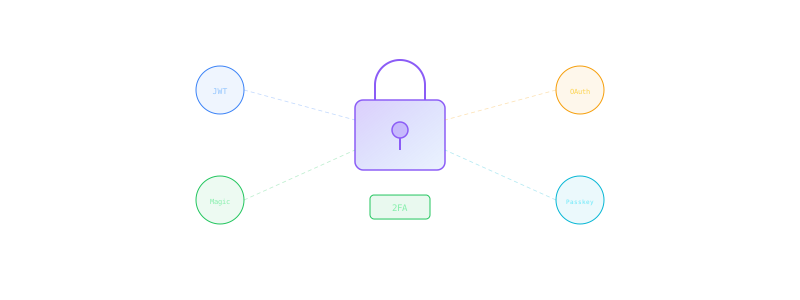
Authentication is not a solved problem
Most security incidents in SaaS applications start with authentication. Weak passwords, missing 2FA, insecure token storage — the list of mistakes teams make in production is long.
In the DACH region, there is an additional factor: authentication data is personal data. Email addresses, IP addresses from login attempts, session data — everything falls under GDPR. This limits provider choices and makes self-hosting more attractive.
81%
Of all breaches
Caused by compromised credentials
3.4B
Leaked passwords
In the Compilation of Many Breaches alone
< 5%
2FA adoption
Average for SaaS without enforcement
Methods compared
JWT (JSON Web Tokens)
JWTs are the de facto standard for API authentication. The server signs a token with user information, and the client sends it with every request.
Advantages: Stateless, scales horizontally, works across service boundaries. Disadvantages: Tokens cannot be individually invalidated (without a blocklist). If stolen, the token is valid until expiry.
Best practices:
- Access token: short lifetime (15 minutes)
- Refresh token: longer lifetime (7 days), rotation on every use
- Tokens in
httpOnlycookies, not inlocalStorage
Sessions (server-side)
Classic sessions store the auth state on the server (in Redis or the database). The client only receives a session ID.
Advantages: Immediate invalidation possible, full control. Disadvantages: Server must hold state, horizontal scaling requires a session store (Redis).
OAuth2 / OpenID Connect
OAuth2 is an authorization framework, OIDC builds authentication on top. Essential for "Login with Google/GitHub/Microsoft".
When needed:
- Offering social login
- Enterprise customers with their own identity provider (Azure AD, Okta)
- Single sign-on (SSO) between multiple applications
Magic Links
A link sent via email that logs the user in. No password needed.
Advantages: No password issues, simple UX, secure (as long as email is secure). Disadvantages: Depends on email delivery, slower than password login, email security becomes a single point of failure.
Passkeys (WebAuthn/FIDO2)
The future of authentication. Biometric or hardware-based login without passwords.
Advantages: Phishing-resistant, no passwords, excellent UX on modern devices. Disadvantages: Not universally supported yet, recovery is complex, older browsers excluded.
Auth methods: Pros and cons
JWT + Refresh Token Rotation
Strengths
- Stateless — scales without a session store
- Ideal for APIs and microservices
- Industry standard, libraries for every language
- Works across service boundaries
Weaknesses
- Token invalidation only via blocklist
- Payload is Base64-encoded, not encrypted
- Incorrect implementation common (localStorage, long lifetimes)
Magic Links
Strengths
- No password needed — no password leak possible
- Very simple UX, reduces registration drop-off
- Email verification automatically included
Weaknesses
- Email delivery is not guaranteed (spam filters)
- Slower than password login (opening inbox)
- Email account becomes single point of failure
Passkeys (WebAuthn)
Strengths
- Phishing-resistant — no secret is transmitted
- Biometric authentication, best UX
- No password management needed
Weaknesses
- Browser and device support not yet universal
- Account recovery on device loss is complex
- Implementation more involved than password login
Auth providers compared
Clerk
Most modern auth-as-a-service. Excellent React/Next.js integration, built-in UI components, multi-tenancy.
Cost: Free up to 10,000 MAUs. Pro from $25/month. GDPR: EU data residency available, DPA provided.
Auth0 (Okta)
The enterprise standard. Powerful but complex. More expensive since the Okta acquisition.
Cost: Free tier up to 7,500 MAUs. Essentials from $35/month. GDPR: EU region selectable, comprehensive compliance documentation.
Supabase Auth
Open source, self-hosting possible. Based on GoTrue. Well integrated with the Supabase ecosystem.
Cost: Free (self-hosted) or in the Supabase free tier. GDPR: Self-hosted = full control. Managed: EU region available.
Self-Built (Passport.js / NextAuth / Lucia)
Full control, no vendor lock-in. But also full responsibility for security.
Cost: Only development time. With subscription development teams, often the most pragmatic option since auth expertise is included. GDPR: Maximum compliance, as data never leaves your own system.
The auth flow in detail
Here is what a secure auth flow with JWT + refresh token rotation looks like in practice:
Secure Auth Flow: JWT + Refresh Token Rotation
Login
Validate credentials + issue tokens
Verify password with Argon2/bcrypt, generate access token (15 min) + refresh token (7d)
API Request
Access token in Authorization header
Server validates JWT signature + expiry, no DB lookup needed (stateless)
Token Refresh
Rotate refresh token
Invalidate old refresh token, issue new pair (access + refresh)
Anomaly Check
Refresh token reuse detection
If an already-rotated token is reused, invalidate all user sessions
Logout
Invalidate tokens
Delete refresh token from DB, add access token to blocklist
Password hashing: Argon2 or bcrypt
If you store passwords, there are exactly two acceptable algorithms:
Argon2id (recommended): Winner of the Password Hashing Competition. Memory-hard, resistant to GPU and ASIC attacks. Default parameters: memory=65536, iterations=3, parallelism=4.
bcrypt: Proven and widely used. Work factor at least 12. Limitation: passwords are truncated at 72 bytes.
Never use: MD5, SHA-1, SHA-256 (without key stretching), PBKDF2 (outdated).
2FA/TOTP: Mandatory, not optional
Every SaaS should offer TOTP (Time-Based One-Time Password). Implementation is straightforward (libraries like otplib in Node.js), and the security gain is enormous.
Implementation tips:
- Generate recovery codes (10 codes, single-use)
- Store TOTP secret encrypted in the database
- Enforce for admin accounts, optional for regular users
- Backup: offer SMS as fallback (better than no 2FA)
GDPR requirements for auth data
Authentication data is subject to specific GDPR requirements:
- Legal basis: Legitimate interest (Art. 6(1)(f)) for session data, consent for optional data
- Retention period: Login logs maximum 6 months, sessions only as long as necessary
- Right of access: Users must be able to view all stored auth data
- Deletion: On account deletion, remove all auth data (password hashes, sessions, 2FA secrets)
- Data breach: Compromised auth data triggers the 72h notification duty
Conclusion: The right strategy
For most SaaS applications in the DACH region, I recommend:
- MVP/Start: Clerk or Supabase Auth — fast, secure, GDPR-compliant when configured properly
- Growth: Self-built with Argon2, JWT + refresh token rotation, TOTP
- Enterprise: Auth0 or self-built + OIDC for SSO requirements
Offer passkeys as an optional login method once your user base predominantly uses modern browsers.
Authentication is an area where expertise matters. A single mistake - tokens in localStorage, SHA-256 instead of Argon2, missing rate limits - can compromise the entire application.
Related Topics
We're hiring Senior Engineers
100% Remote, DACH